Actions
Translations
Translations:Survey participants/19/en
From LimeSurvey Manual
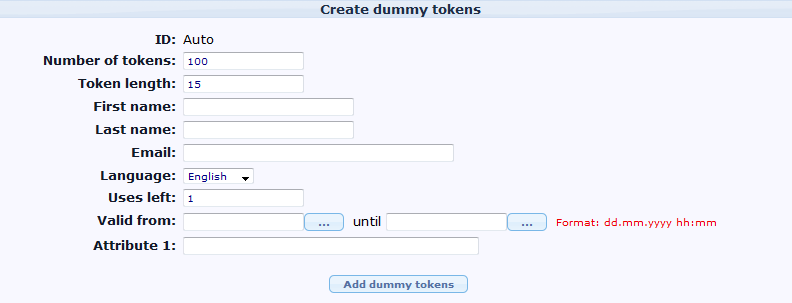
- Number of tokens: Number of tokens to be added. Default is 100.
- Token length: Number of characters or length of token. Default 15
- First and last name: .. of the participant.
- Email: the participant's email address
- Language: If you want to set the default language for this participant
- Uses left: A counter of number of times the token can be used.
- Valid from & Valid until : You can set a date/time range where this token would be allowed to use. You can leave these empty if you don't want to limit participation time frame for certain users. Note: If the user is answering the survey and the participation time ends then the user is locked out immediately and won't be able to finish the survey.
- Attribute1 to Attribute x: These are user-definable attribute fields - see the next paragraph.
